

100% Free • Forever

Hearing Aid Simulator

Ever wondered what it’s like to hear the world through a hearing aid? Our Hearing Aid Simulator lets you experience different levels of hearing loss and how hearing aids can help – right from your device.

Reasons to Give it a Try

Loss Percentage

Give it a try today, it's completely free

No sign-ups, no hidden costs – just pure insight into the world of better hearing. Our simulator is completely free to use, so you can explore different hearing experiences and understand the impact of hearing aids with zero commitment.

Hearing Aid Simulator

To get started, please make a selection below:

I Have an Audiogram Most Accurate Simulation (Recommended)
I Don't have an Audiogram Select a Preset for a Basic Simulation
Let's Do This right-arrow

Hearing Aid Simulator

Simply get your hands on a copy of your hearing test (audiogram), and enter the hearing thresholds for the left ear (usually shown as a blue X) and the right ear (usually shown as a red O).

You’ll only need to enter the results for four frequencies, so it doesn’t take long. If you don’t have an audiogram, you can select from one of our preset options in the previous step.

Enter Your Audiogram Data:

Simulations

Preset Options

Since you don’t have an audiogram, we’ll provide simulations based on the preset you select below:

Mild Hearing Loss
Moderate Hearing Loss
Severe Hearing Loss
Next

Left Ear: 500Hz

Select your hearing level at 500Hz:

Next
Step 1 of 10

Left Ear: 1000Hz

Select your hearing level at 1000Hz:

Next
Step 2 of 10

Left Ear: 2000Hz

Select your hearing level at 2000Hz:

Next
Step 3 of 10

Left Ear: 4000Hz

Select your hearing level at 4000Hz:

Next
Step 4 of 10

Right Ear: 500Hz

Select your hearing level at 500Hz:

Next
Step 5 of 10

Right Ear: 1000Hz

Select your hearing level at 1000Hz:

Next
Step 6 of 10

Right Ear: 2000Hz

Select your hearing level at 2000Hz:

Next
Step 7 of 10

Right Ear: 4000Hz

Select your hearing level at 4000Hz:

Next
Step 8 of 10

Which scenarios do you have the most trouble hearing in?

We'll provide a simulation for each of the scenarios you select.

  • One on One Conversation
  • Speech at a Distance
  • Group Discussions
  • Women's Voices
  • Men's Voices
  • Children's Voices
  • Conversation in a Cafe
  • Hearing the TV
  • Phone Conversations
  • Listenting to Music
  • Conversation in the Car
  • Live Entertainment
Next
Step 9 of 10

You're all set!

By continuing, you agree to the following disclaimer:

I am aware that this Hearing Aid Simulation function is not a medical observation and does not constitute professional advice. It is simply an overview of the audiometric thresholds entered by the user and audio samples and categorisation based upon the results.

Step 10 of 10
Close Pop Up

Enter Your Details

Enter your details below and we'll email your results to you.

Hearing Aid Simulator
This field is hidden when viewing the form

Your Audiogram Data:

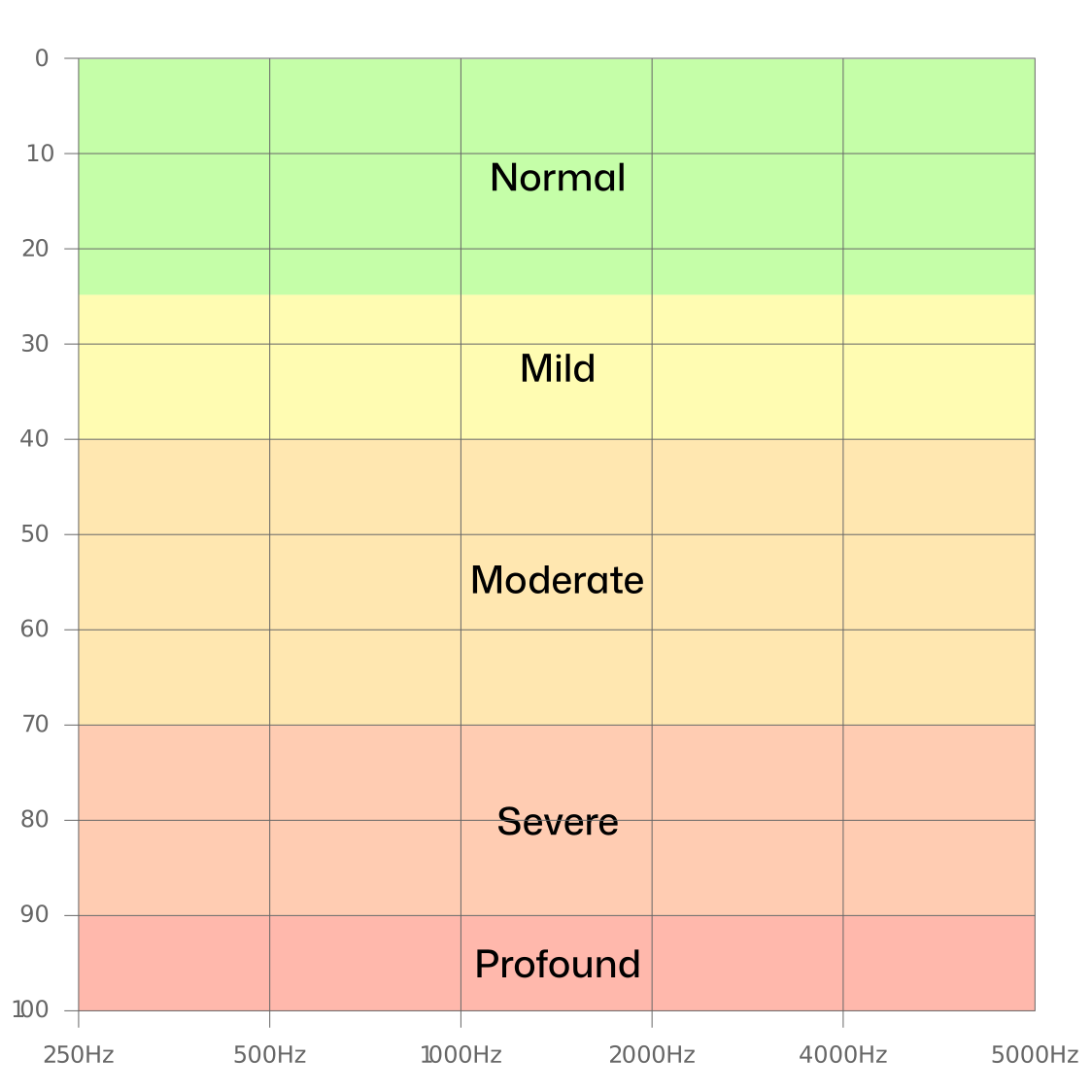
Audiogram Preset Visual